 KitCut
AI video templates should be examples, not forms
Most video templates are a form: your logo here, your date there, eight speaker names in eight boxes. Our first templates were built that way too, and the founder turned them down in one line: "Terrible idea to ask users to fill out a form." A KitCut template is now a finished film and a prompt box. You say what your film is for in a sentence, and Claude remakes the example for it.
Where the first template came from
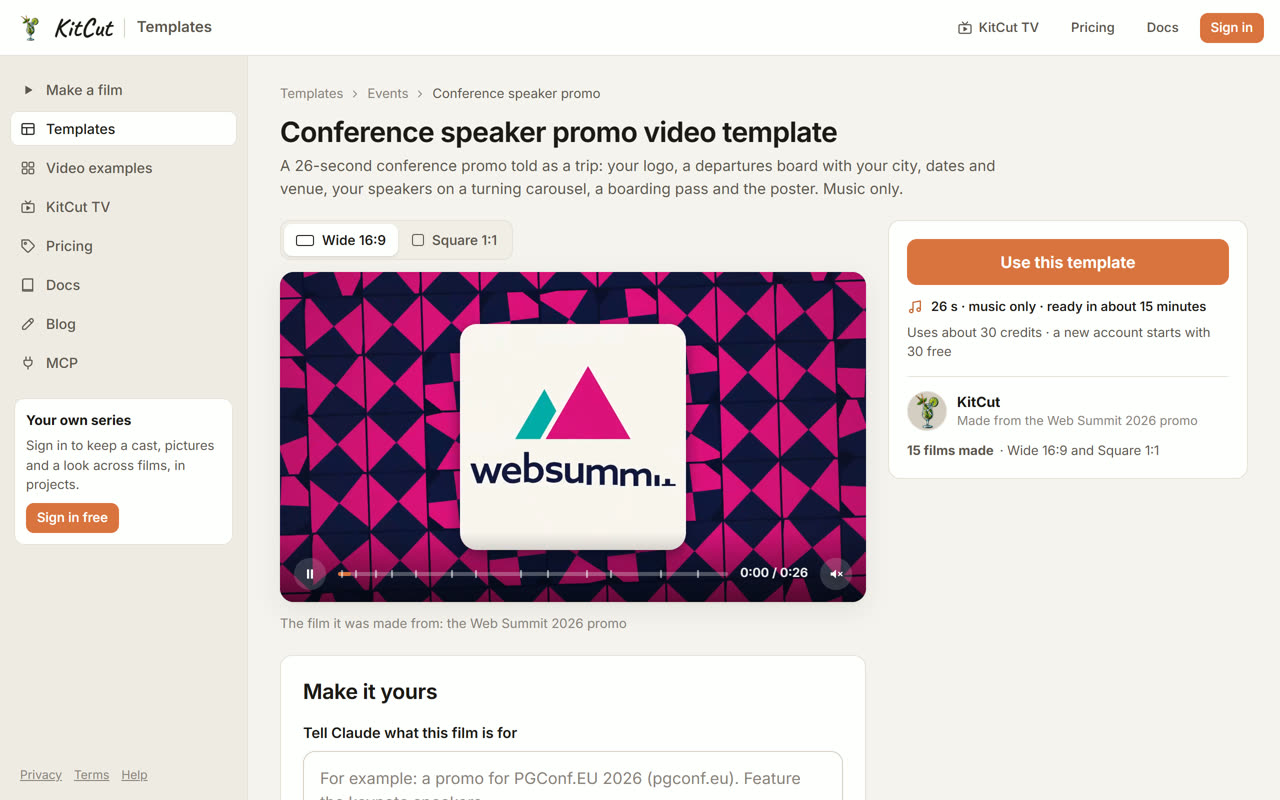
On September 30 we rebuilt a conference promo that had done well on X, a 26-second film for a developer conference, as a promo for Web Summit 2026 in Lisbon: the logo on Lisbon tiles, a departures board, five featured speakers on a turning carousel, a boarding pass and a closing poster. It was a good film. The obvious next step was to let anyone make one for their own event.
The form we built, and why it went
The first design did what every template tool does. It paired the film with a typed form: required fields for the event's name, dates, city, venue, speakers and their photos. A "What you need" list above it told you what to prepare. A toggle switched web research on or off. The whole feature sat behind a switch while we tested it.
Each piece was turned down, and each refusal was a product rule:
- No form. "Terrible idea to ask users to fill out a form." A form decides in advance what your film can contain. A conference with three keynotes and a sponsor wall doesn't fit a form built for five speakers.
- No "what you need" list. "The AI can research all that... Listing that as requirement creates friction." Claude can look up an event's dates, venue and speakers from its website. Asking you to gather them first makes a tool look like work.
- No research switch, no language switch. Web search is always available and the model decides when to use it. The language comes from your prompt.
- No "No films made from it yet". Showing a new template as empty is discouraging, so it just doesn't say it.
- No feature flags. Ship it open and test it as the owner, right after it goes live.
What a template is now
A template is an example. You give it a free prompt, plus any pictures or files you like, and Claude remakes that exact film for you: same structure, same motion, same pacing, with your content in it. It changes whatever you ask it to change, and adapts where your content doesn't fit the example.
Here's the test that convinced us. The whole prompt was one line, with nothing attached:
A speaker promo for Lviv IT Arena 2026 — itarena.ua
Claude found the event's site, its dates and city, its logo and colours, and its speakers, and remade the film. Above is the example; below is the remake.
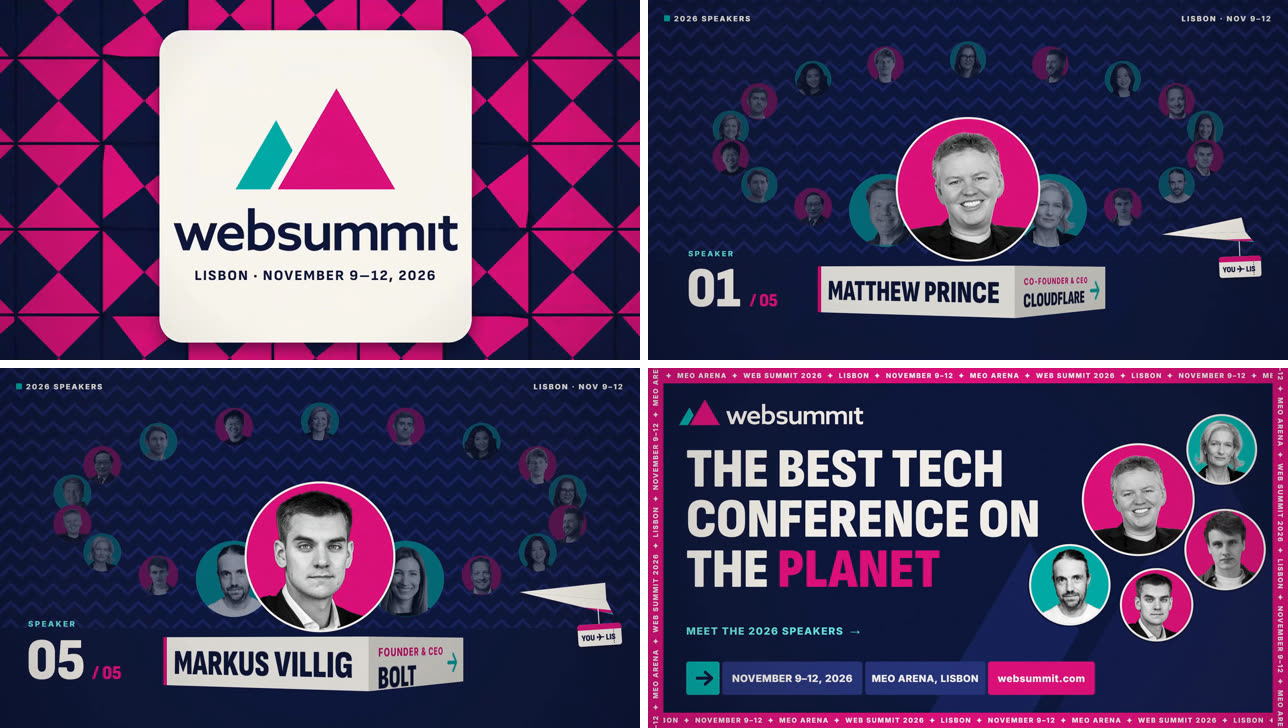
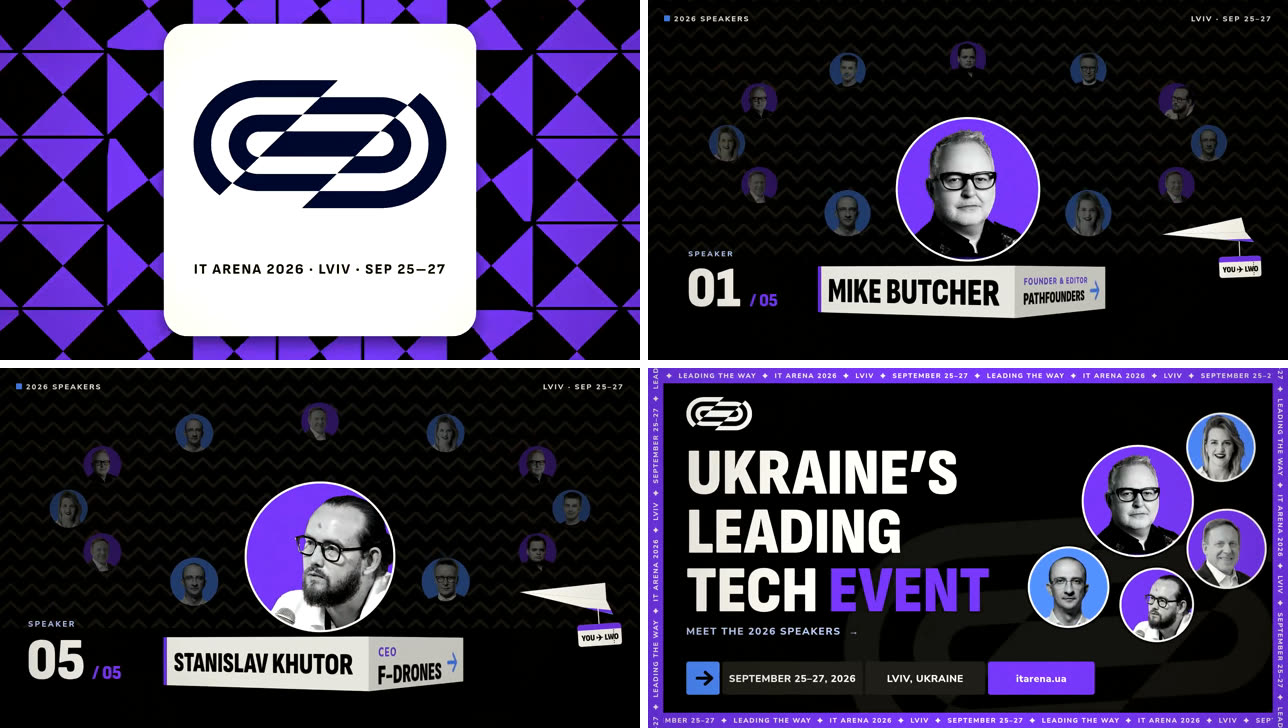
The same structure, the event's own purple and black instead of Web Summit's pink, its own speakers, its own dates and city. Nobody filled in a field.
Measured against a plain prompt
A template only earns its place if it beats just describing the film. We made three conference promos both ways (for Slush, PGConf.PL and Mate Conf in Ukrainian), from the template and from a plain prompt, and graded them blind:
| From the template | From a plain prompt | |
|---|---|---|
| Kept the example's structure | 5 of 5, all three | (none to keep) |
| Graded "professional" (out of 5) | 4.0 | 3.67 |
| Claude's cost per film | $1.55 | $2.49 |
| Speakers' photos it could show | all of them | 6 at most |
We're open that we set ourselves higher bars than this: a full point better on quality and half the cost. The template made it to 62% of the cost and a third of a point better. It's still clearly the better way to make a film that has a known good shape. Across the studio, a film remade from a template takes a median of 5.6 minutes of Claude's time, against 13.7 for a 30-second film from scratch.
What makes any film a template
For an example to be remade, its facts have to be separable from its design. So every film KitCut makes now keeps its facts (names, dates, numbers, places) in one block at the top of its code, apart from the drawing. In a test, the facts came out cleanly from 5 of 5 films written that way, and from 0 of 5 written the old way, with quality and cost unchanged.
That's what lets us turn a good film into a template in an afternoon. KitCut has 14 so far: speaker announcements, conference agendas and countdowns, webinar and meetup promos, open-house and trade-show invitations, birthday and pool-party invitations, a group ride, an offer ad.
What can still go wrong
An example carries everything about itself, including what's specific to it. One of our meetup templates was made from a film for a speakeasy-themed evening, and every remake came out in art deco with bottles, whatever the meetup was about. It passed three blind tests and was still the wrong template. An example has to be one whose look suits everyone who'll use it, not just the event it was made for. We wrote about why our graders missed that in Our AI video reviewer had perfect taste and only found small things.
If you're designing for an AI product
- Don't ask for what the model can find. Every required field is a reason to leave.
- Show an example, and let people describe the difference. "Like this, but for us" is how people already brief a designer.
- Don't add a switch for a decision the model can make, like whether to search the web or which language to write in.
- Measure it against the plain prompt. If the template doesn't beat just asking, it's a picture with a form under it.
Browse every template, or read how they work, what to write, and what a remake keeps and changes on the Templates page. The engine underneath is the same one described in Delete the style from your system prompt.