KitCutFor companies

A video for every help article, release and report.

Companies use KitCut for the explainers they need again and again: a how-to for each feature, a film with each product update, a customer-education series, a market briefing every week. Each one in your brand, built from your real screens and numbers, narrated in one voice and in your customers' languages. Written and drawn by Claude.

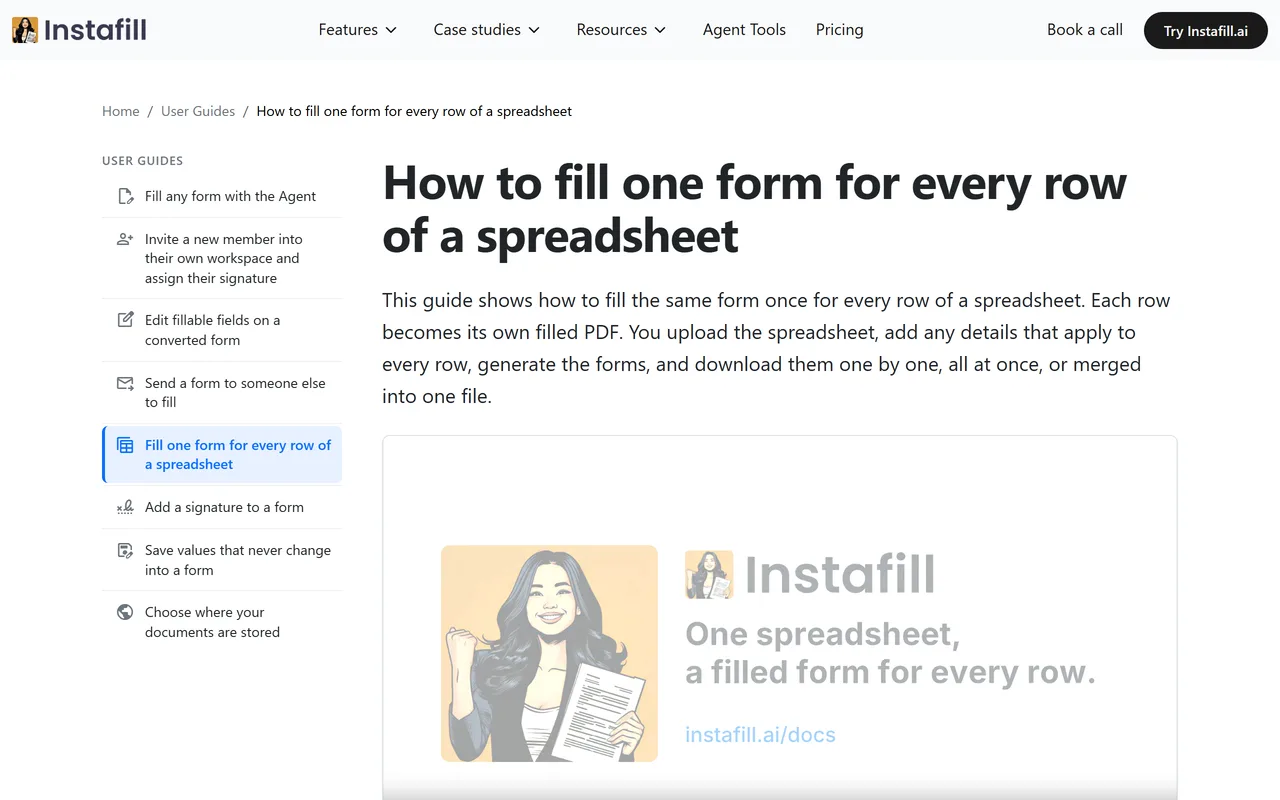
Instafill's help article How to fill one form for every row of a spreadsheet on instafill.ai, with its KitCut film embedded under the first paragraph, paused on the Instafill logo and mascot.
Instafill's help center: a KitCut film in the article itself.

The explainers a company makes again and again

One-off promo videos are easy to buy. The hard part is the explainer you need every week: the next feature, the next release, the next report. KitCut is built for those. Write a project's brief once, and every episode follows it.

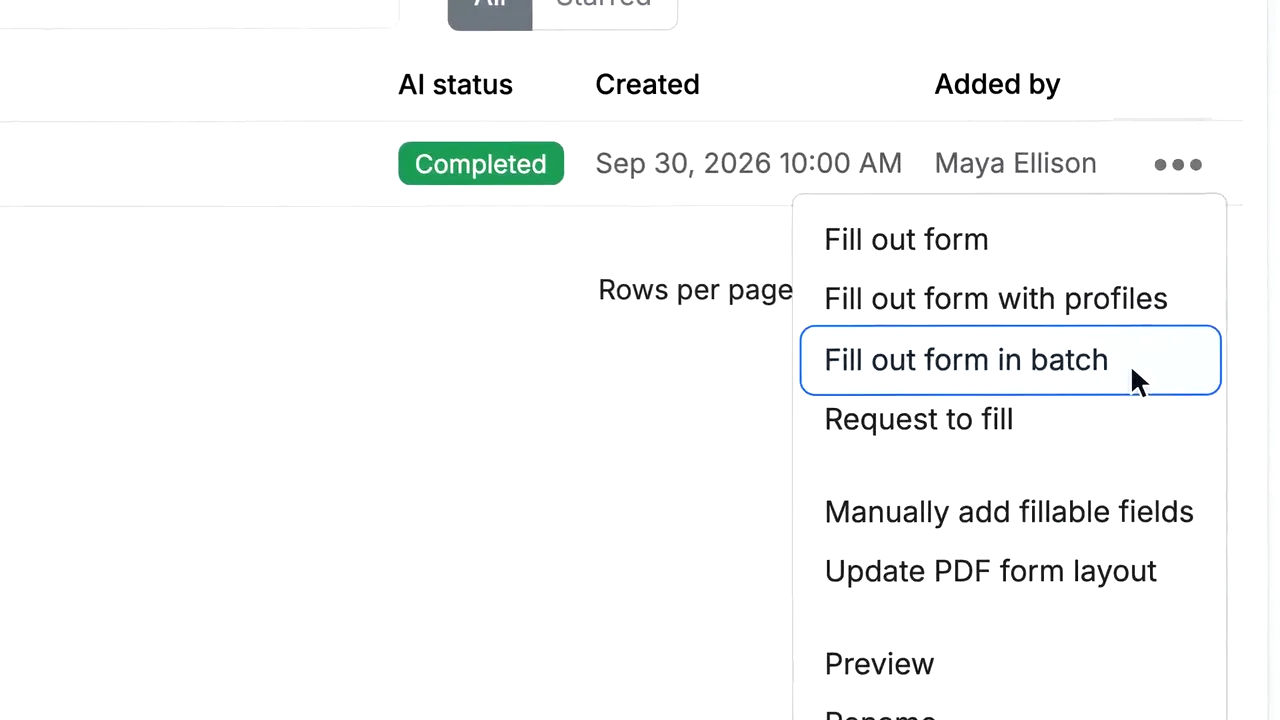
A frame of an Instafill help film: the real app's forms list, a row's menu open and the cursor on Fill out form in batch.

Help center and onboarding

A 45 to 65 second film for each article, built from screenshots of your app: the real menus, a cursor where the user clicks, the result. Update the screenshots and make it again when the product changes.

Instafill made ten in two days. Case study

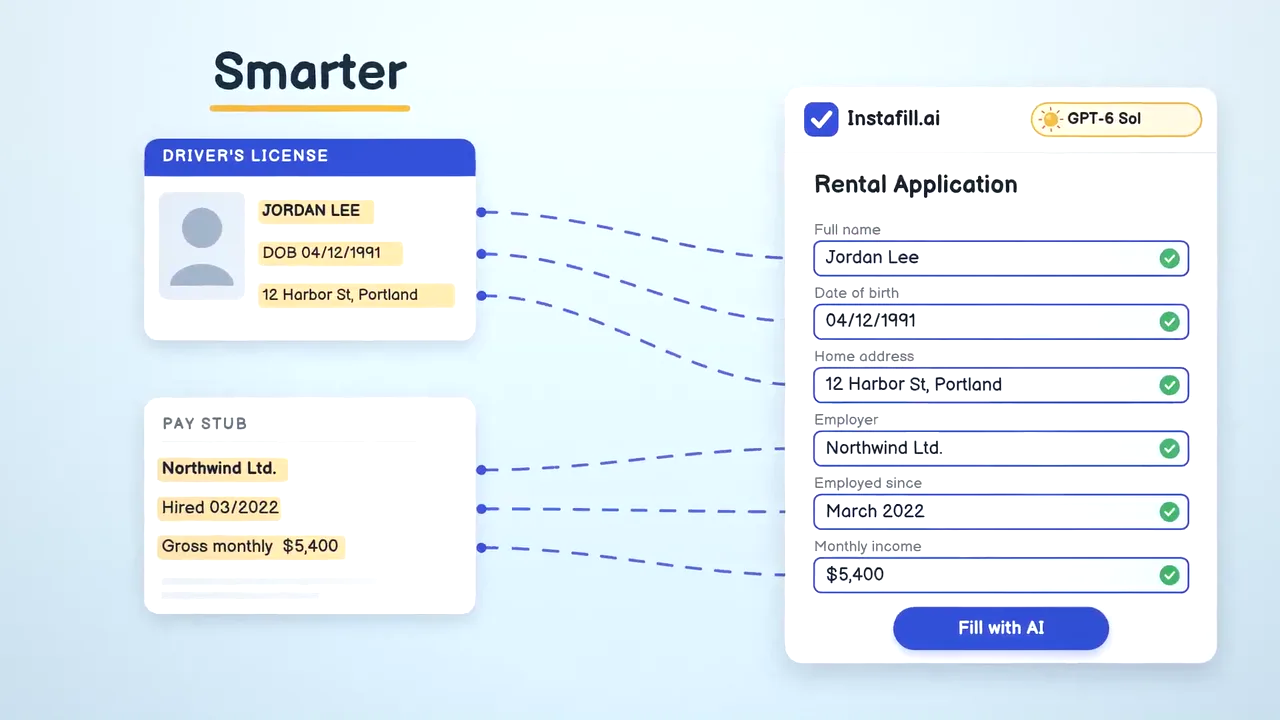
A frame of Instafill's announcement film: a driver's license and a pay stub feeding their values into a rental application, every field ticked, under the word Smarter.

Product updates and release notes

Each release gets a short film in your product's look: what changed, why it matters, shown on the screens it changed. Your changelog, watched rather than skimmed.

Instafill announced its new AI model with one.

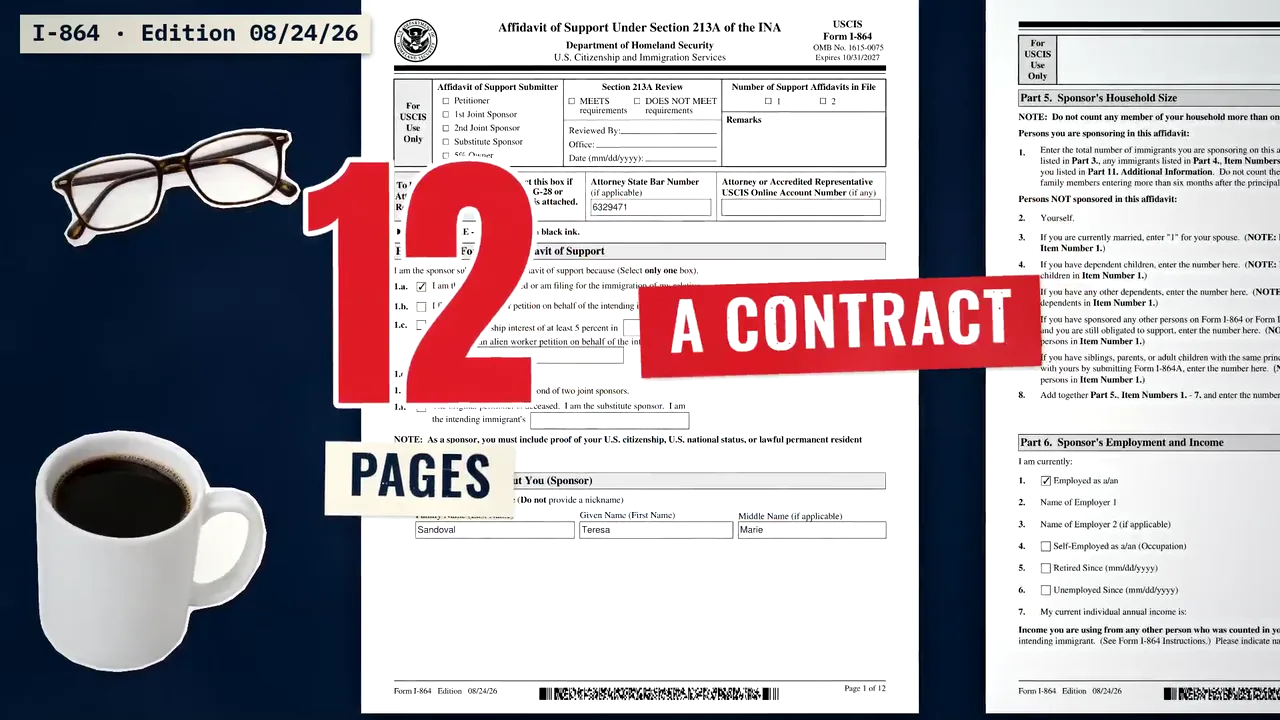
The opening of a Form Desk episode in KitCut's collage look: the real pages of Form I-864 on a dark table with the words 12 pages, a contract, glasses and a coffee cup.

Customer education series

A series that teaches the job your product does, worth watching for its own sake: one topic per episode, the same format every time, your product as the fix at the end.

Form Desk walks through one hard government form per episode. See it

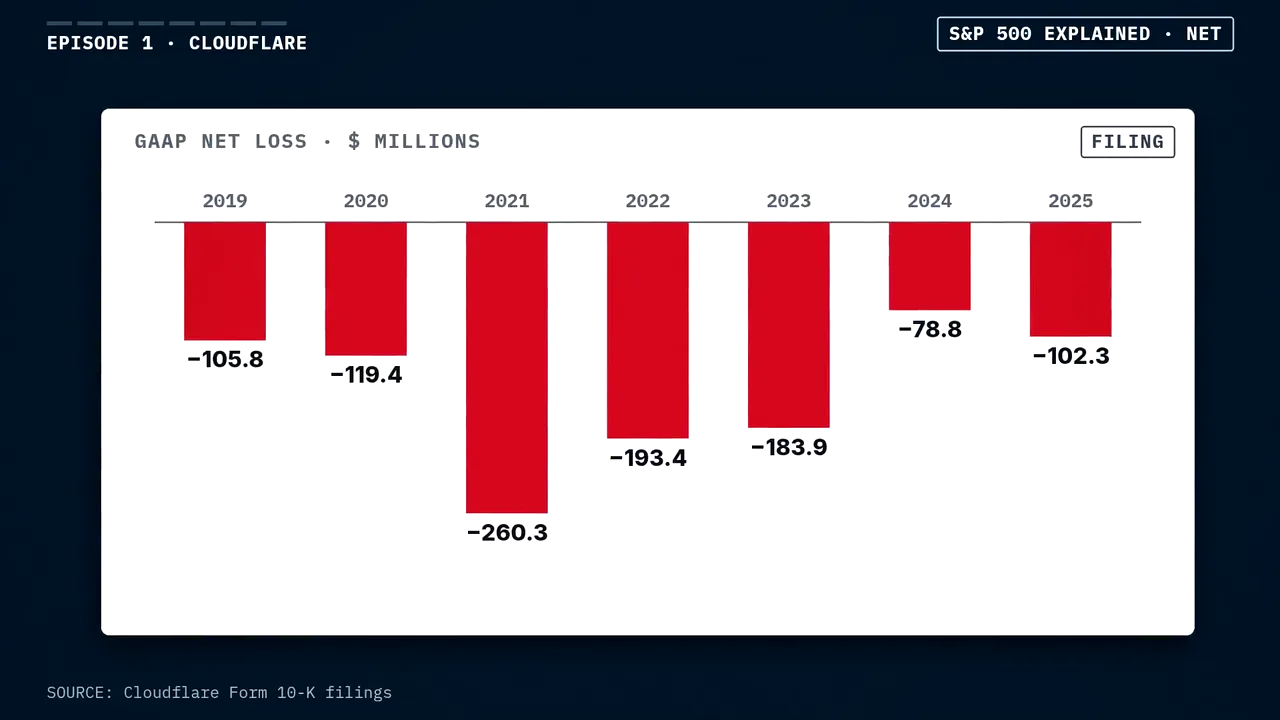
A bar chart from a KitCut research film on a navy page: a company's net loss for each year from 2019 to 2025, each bar labelled, tagged FILING, with its source line.

Market, data and research briefings

Your numbers, drawn exactly, each chart with its source under it: a weekly market update for clients, results explained, an industry report as a film. Evidence tags say what is filed, claimed or calculated.

S&P 500 Explained works from company filings. Case study

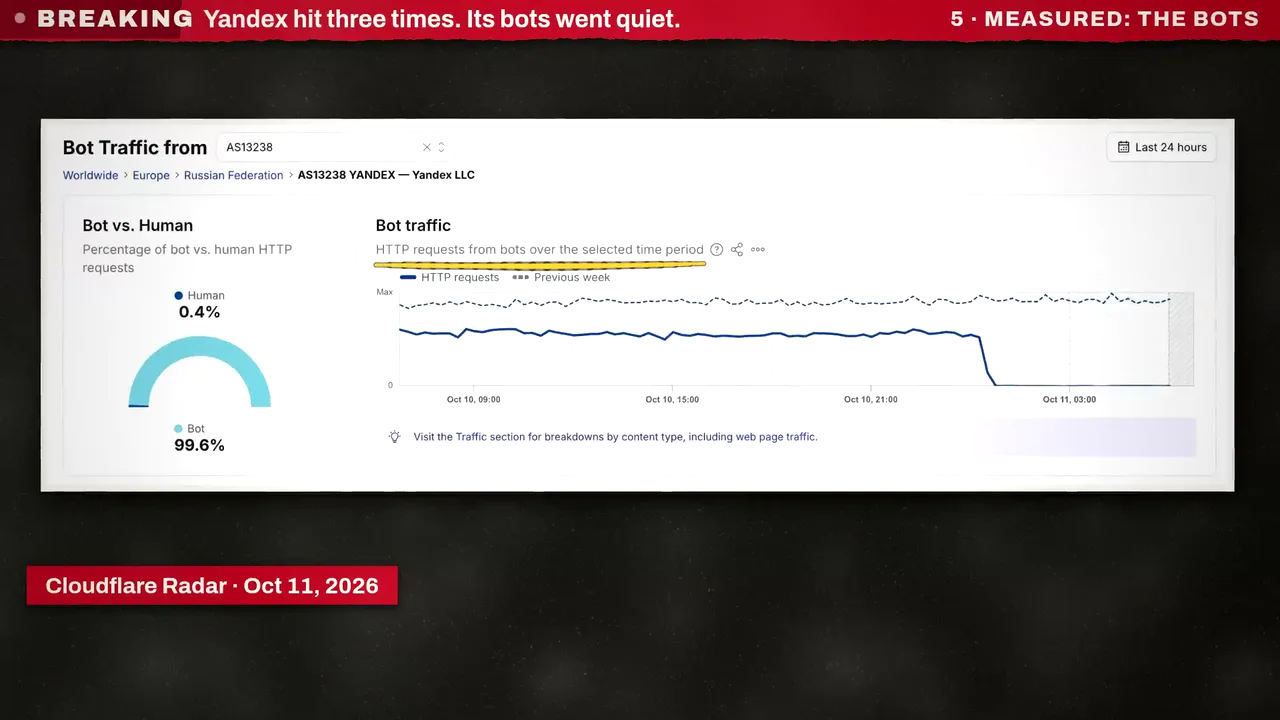
A frame of a KitCut news explainer: Cloudflare Radar's chart of bot traffic from one network falling overnight, credited Cloudflare Radar, 11 October 2026.

News and industry updates

A bulletin format written once: the news in the first second, every fact with its source on screen, what isn't known said plainly. For a newsletter, a community or a channel of your own.

KitCut's own news desk made 32 in four days. Case study

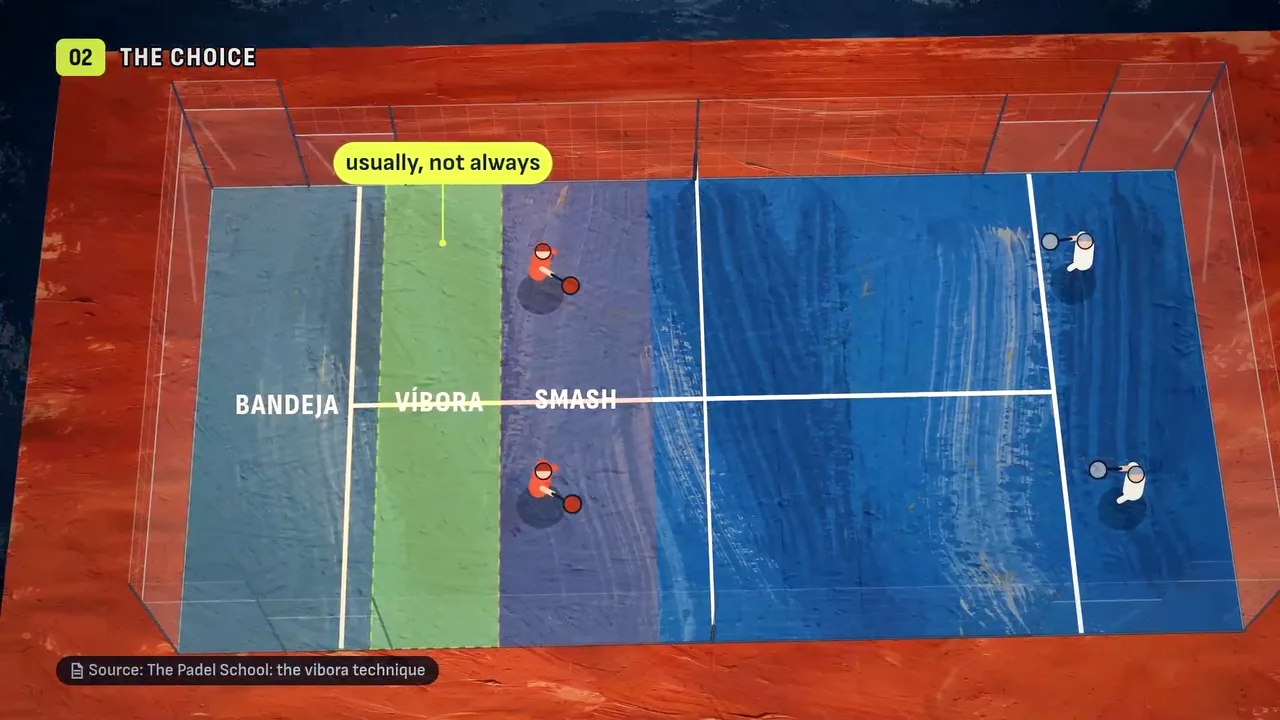
A padel court from above divided into three coloured zones labelled bandeja, víbora and smash, a frame from a KitCut lesson.

Training and courses

A course as a series of short lessons, one idea each, diagrams that move on the narrator's words, sources named. The same works for internal training: a policy change, a new process, security basics.

Padel Tactics teaches a sport this way. Case study

On brand, on screen, on the facts

An AI video model paints something that looks like your app, your logo or your chart. KitCut has Claude write each film as code, so it can use the real ones.

Your interface, never an invented one

Films are built from screenshots you attach, shown as they are. A step with no screenshot is left out, not drawn.

Your brand, read from your files

Drop in the brand folder, PDF guidelines, logos and fonts. Claude writes a brand card (colours, type, logos, pictures, tone) and every episode follows it.

Your facts, with their sources

Attach a fact sheet and the film uses its exact numbers and keeps its caveats. Charts are drawn from the numbers, with the source under each.

One voice for the series

One narrator for every episode: one of KitCut's voices, or a voice you cloned or designed in your own ElevenLabs account.

Your customers' languages

Write the idea in one language and ask for the film in another. The narration and every word on screen follow.

Changes by note

Point at a spot, a stretch or a line in a finished film and say what should change. Claude makes the next version and keeps the rest.

How a team runs a series

  1. A workspace for the teamInvite people as members or admins. They share the projects, the brand, the voices and the credits; each episode says who made it.
  2. A project per seriesHelp center, release notes, the weekly briefing: each is a project with its brief, its brand, its pictures and its recurring characters.
  3. Episodes from people or assistantsAnyone in the workspace makes the next episode from a title and its screenshots or facts. Or connect Claude, ChatGPT or Claude Code and let it write each film's idea from your docs or release notes.
  4. Wherever your customers areDownload the MP4 and its captions for your help center, product and emails, or publish to your YouTube channel, now or on a schedule. Paid plans carry no KitCut mark.
Instafill: How to fill one form for every row of a spreadsheet, 51 seconds.

Instafill: a film for every help article

The film must look like the real Instafill app. Never invent an interface.

The first line of Instafill's project brief. Each film after it was an article's title, its address and the screenshots in order: ten articles in two days, each 45 to 65 seconds, now playing in the articles themselves on instafill.ai.

Read the case study · All case studies

Questions companies ask

Can KitCut use our real product screens?

Yes, and it should. Attach screenshots of your app and say what each one shows; the film is built from them, with pans, zooms, a cursor and highlights, and a scene with no screenshot is left out rather than drawn. Nothing on screen is an invented interface.

Will the videos follow our brand?

Add your brand files to a project once: a brand folder, PDF guidelines, logos, fonts, slides. Claude reads them into a brand card with your colours, typefaces, logos, pictures and tone, and every episode follows it. Font files go into a video only once you tick that you may use them there.

Can several people on our team work on it?

Yes. Invite people into your workspace as members or admins. They work on the same projects, with the same brand, characters and voices, and every film uses the workspace's credits.

Can it narrate in our own voice, and in other languages?

Connect your ElevenLabs account and a project can be narrated in a voice you cloned or designed there, or pick one of KitCut's voices. Write the idea in one language and ask for the film in another: the narration and every word on screen are in the language you ask for.

Where do the videos go?

Download the MP4 and its captions file and put them in your help center, product, emails or social posts, or publish the film to your YouTube channel from KitCut, now or on a schedule. On a paid plan films carry no KitCut mark.

Can our AI assistant make the videos?

Yes. Connect KitCut to Claude, ChatGPT, Grok, Meta AI or Claude Code at kitcut.ai/connect, and the assistant can write each film's idea from your docs or release notes, make it in your project and schedule it, on its own or on a timer.

Start with one article

Pick the help article people ask about most, take three or four screenshots, and make its film. If it works, the brief you write for it makes every one after it.