 KitCut
Conference speaker promo video template
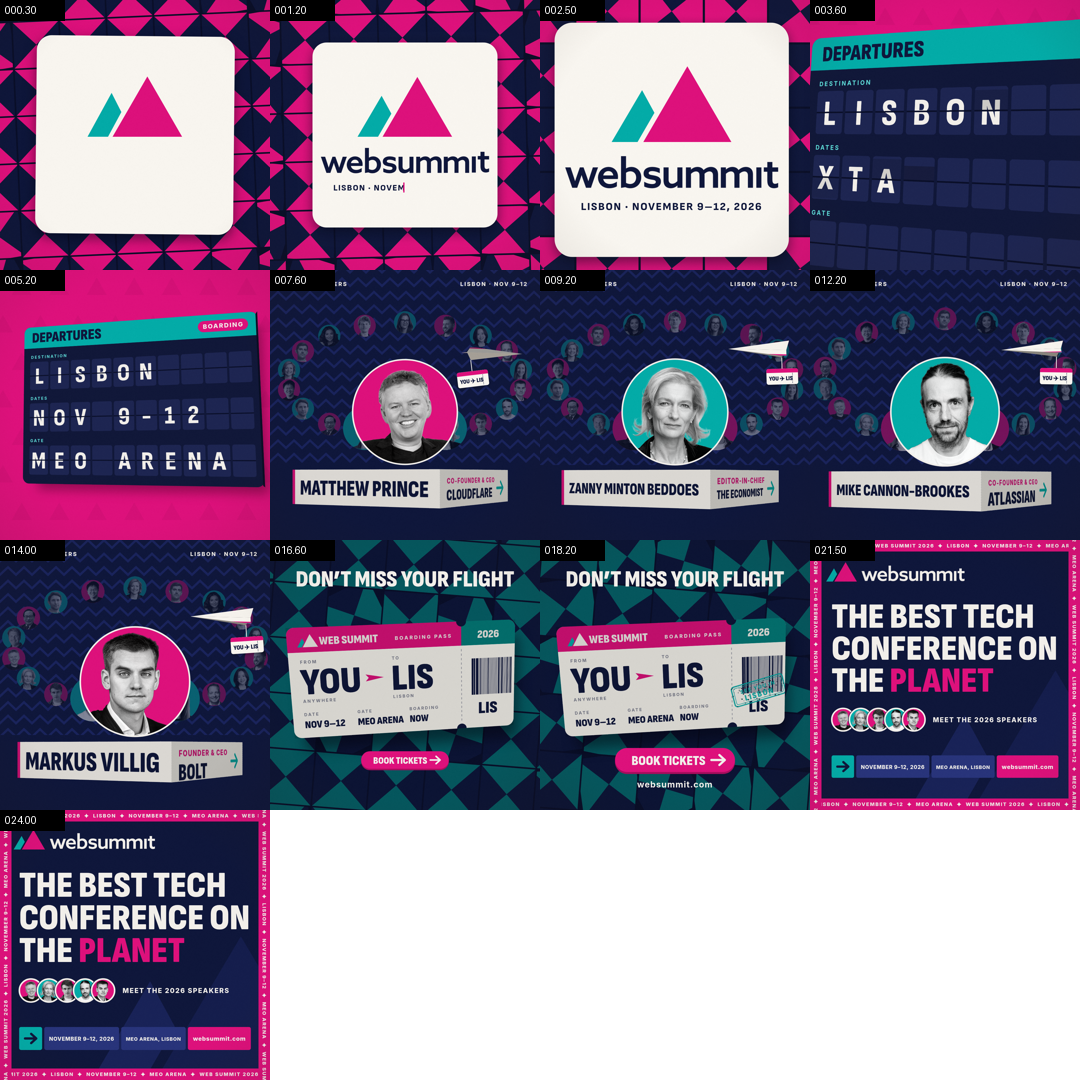
A 26-second conference promo told as a trip: your logo, a departures board with your city, dates and venue, your speakers on a turning carousel, a boarding pass and the poster. Music only.
Make it yours
About the conference speaker promo template
This template is a 26-second promo for a conference, a summit or a festival, told as a trip to the event. It was first made for the Web Summit 2026 promo, and every beat lands on its music: your logo on a card over turning tiles, a dive into your accent colour, a split-flap departures board that flips to your city, dates and venue, a paper plane, your featured speakers on a carousel that turns to each of them, a boarding pass with a stamp, and a poster with your tagline and your speakers.
You fill in a short form: the event's name, its dates, the city and the venue, a tagline of up to three lines, your website and the words on its button, your logo, three colours and your speakers' photos. Claude then remakes the film with your content: the same timing, the same music and the same moves, in your colours and with your people. It is not a video with your words pasted over it. Every frame is drawn again in code, so long names are fitted, your city flips onto the board letter by letter, and your logo gets its own entrance.
Speakers are the heart of it. Add between 3 and 24 of them, a photo each. The first five with a name are featured: the carousel stops on each of them with their name, role and company, and they come to the front of the poster. Everyone else fills the ring around them with their photo. Each person is cut out of their photo, so head-and-shoulders pictures facing the camera work best. You confirm that you have permission to use the photos before the film is made.
There is no narration: the film is music only, so it plays well with the sound off in a feed and needs no translation. Choose a wide 16:9 film for YouTube, your website or a screen at the venue, or a square 1:1 film for LinkedIn, Instagram and X feeds. Each frame is its own film, so make both if you need both: your answers stay in your browser.
A film from this template uses 30 credits: its 26 seconds, rounded up to the next 5 seconds. It is ready in about 10 to 15 minutes once its turn comes, and you can close the page meanwhile: the film keeps being made, and an email tells you when it is done. Films on the Free plan carry KitCut's small mark in a corner. Every film made from the template gets its own page and link to share, and you can publish it to your YouTube channel from there.
Questions
How long does it take?
About 10 to 15 minutes once its turn comes. You can close the page: the film keeps being made, it appears among your films, and an email tells you when it is ready.
How many credits does it use?
30 credits: its 26 seconds, rounded up to the next 5 seconds. That is also the least any film uses.
How many speakers can I add?
From 3 to 24, a photo each. The first five with a name are featured on the carousel and the poster, with their name, role and company; the others fill the ring around them with their photo.
What if my city or venue name is long?
The departures board has 10 cells a row. A city of up to 10 letters fits as it is. For a venue longer than that, give a short form in "Venue, short" for the board.
Can I change the music or add a voice-over?
No: a template keeps the original's music, timing and moves, which is what makes it quick and reliable. For a film of your own design, type an idea on the home page instead.
Can I have both a wide and a square version?
Yes. Each frame is its own film: make the 16:9 one, then use the template again with the same answers, which stay in your browser, and choose 1:1. Each film uses its own credits.
More templates
See allEvent promo video templates · Product launch video templates · Podcast promo video templates