
Your account
A KitCut account is needed to make films, and to connect YouTube channels or AI assistants; watching films needs none. Accounts have no password. People sign in with Google, or with a one-time link sent by email, and Google and email sign-in for the same address reach the same account.
Signing in
| Way | How it works |
|---|---|
| Google's account chooser. The Google account's email must be verified. | |
| Email link | A link sent from [email protected]. It works once and lasts 30 minutes. Up to 5 links per address and 10 per network per day. |
| 6-digit code | Only when connecting an AI assistant: the same email carries a code, which lasts 30 minutes and stops working after 5 wrong tries. |
- Staying signed in: 90 days on the same browser.
- Signing out: the Sign out button in the header on the home and pricing pages, or the account menu (your picture, top right) on the account page and in the Studio.
- Age: people under 13 may not use KitCut.
The account page
The account page shares the Studio's layout: the bar with the credits left and the account menu, and a sidebar with All projects, Account and credits and your projects.
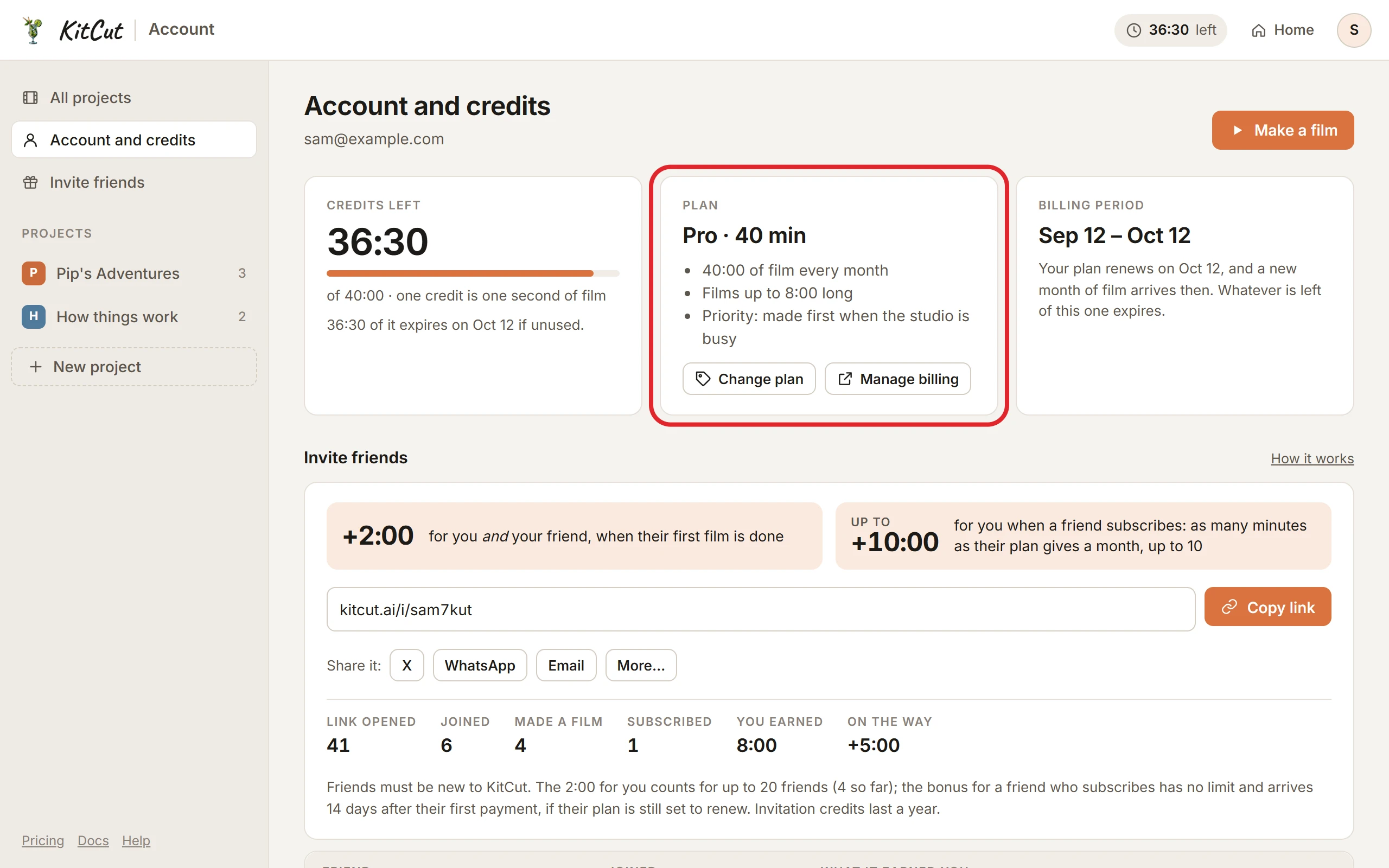
- Credits left: the balance, the amount held for a film being made, and the amount that expires unused at renewal.
- Plan:
- the plan and its minutes a month;
- the longest film;
- priority on Pro;
- renewal or end date.
- Buttons: See plans / Change plan, and Manage billing (paid plans, Stripe's portal).
- Your films: the latest 50, each with its picture, idea (linked to its page), date, length and credits, and its status:
- Charged: finished;
- Being made;
- Refunded, with the reason.
- YouTube: the connected channels (Publishing to YouTube). Shown only for accounts that have publishing.
- Invite friends: your invite link with Copy and share buttons, how many people opened it, joined, made a film and subscribed, what it has earned you, and each friend's status. See Invite friends.
- Connected assistants: each AI app connected to the account, when it was connected and last used, with Disconnect. Shown when there is at least one.
- Credits received: each batch (monthly free credits, plan credits, bonus credits, invitation bonuses, refunds), with its period, and what was used and what is left.
Emails
- KitCut sends people sign-in emails (the link, or the code), and notes about invitations: a friend joined through your link, made their first film, or subscribed, and a bonus arrived.
- There are no newsletters, and no "your film is ready" email; the film's page shows when it is ready.
- Payment receipts and invoices come from Stripe.
Your data
- Kept while the account exists: the account, its films and what they were made from, and roughly where you were (city, region, country) when you signed up and when you last signed in or asked for a film. The IP address itself is not kept.
- Unused uploads are deleted after 24 hours. See the privacy policy.
- A copy of your data, a correction, or closing the account and deleting its films: write to [email protected] from the account's email address. Answers come within 30 days.
- There are no buttons yet to delete the account or a film, or to change the account's email.