 KitCut
People in a film
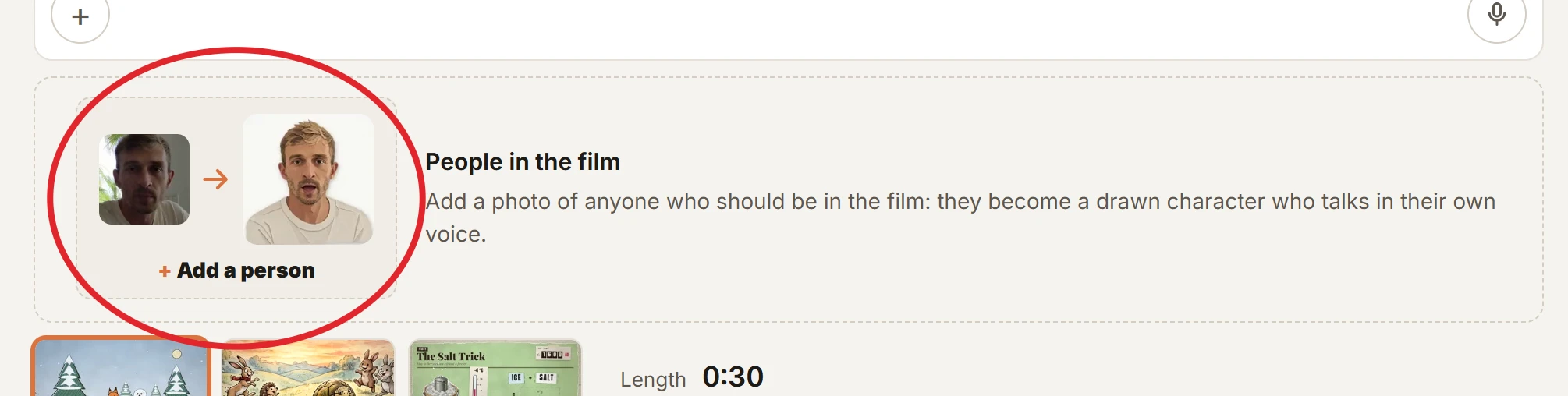
A film can have real people in it: the founders introducing their product, a teacher and the class, a couple announcing their wedding. Add a photo of each person under the idea box. Each one becomes a drawn character who speaks their own lines in their own voice, with a mouth that moves with the words. It works in every look.
The people are always drawn: a crayon drawing, a paper cut-out, a felt puppet and so on. KitCut never makes a photorealistic video of a person.
Adding people
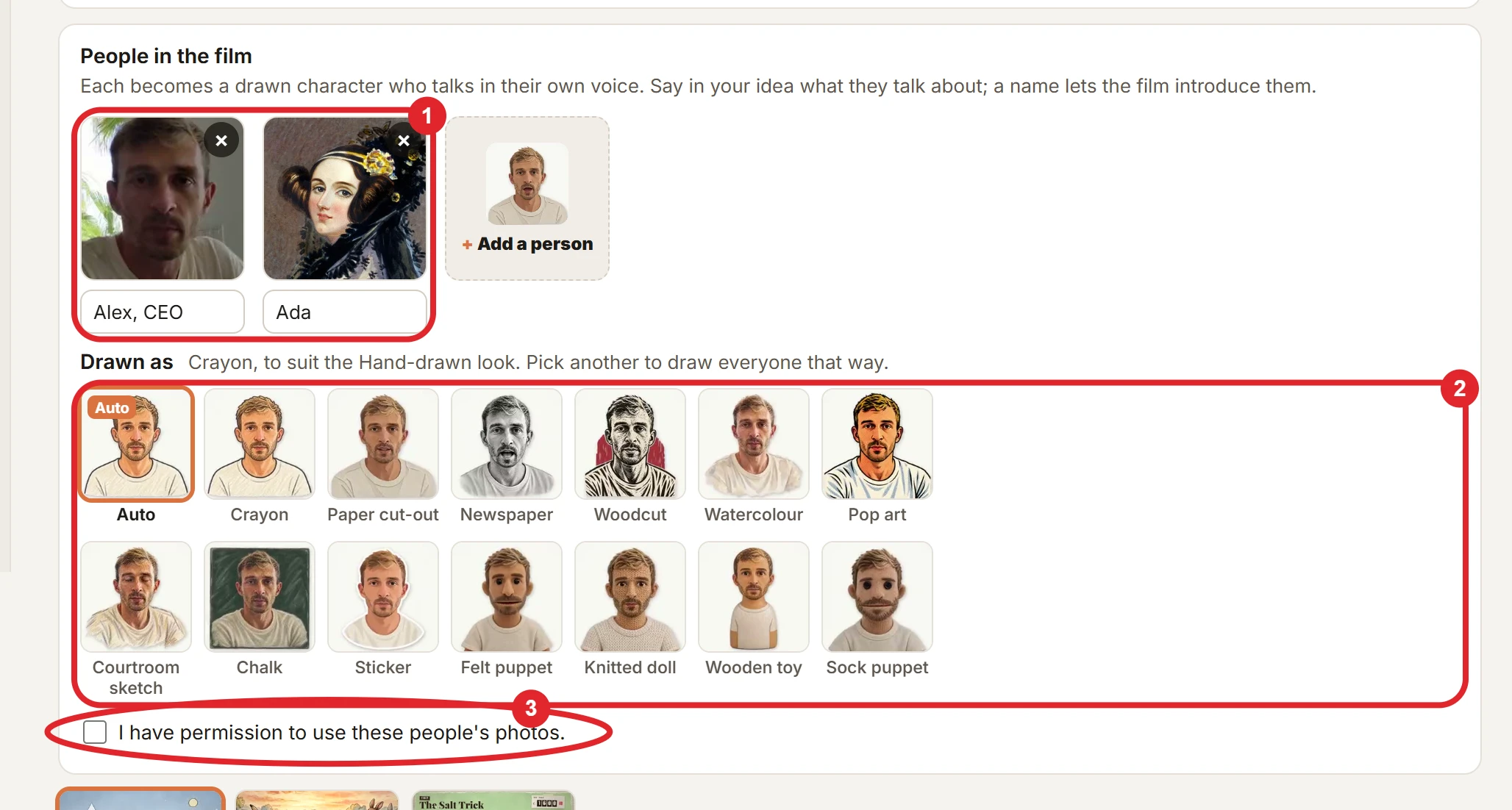
- Add a person under the idea box, and pick their photo.
- Name them if the film should call them something: "Alex" or "Alex, CEO". Up to 40 characters. A person with no name is still in the film.
- Pick how they are drawn, under Drawn as. Every person in a film is drawn the same way.
- Tick the box to confirm you have permission to use these people's photos. A film with people cannot start without it.
- Say in your idea what they talk about, for example "The two of us introduce our bakery and what we bake each morning". Claude writes their lines, gives each person a voice that suits them, and puts them in the scenes.
- How many: up to 4 people per film. People are separate from the 6 pictures a film can also have.
- Credits: people use no extra credits. A film costs its length, as always.
- Time: the people are drawn at the start, while Claude writes the film, so they add little or nothing to the wait.
- Through an assistant:
make_filmtakespeople(a photo link or an upload id for each, and a name),character_style, andpeople_consent. The assistant asks you about permission first. See Assistants. - Not yet: people in a project's episodes.
The styles
The tiles on the home page show each style, drawn from one photo. Point at a tile to see that character talk.
| Style | What it looks like |
|---|---|
| Auto | The style that suits the film's look: crayon for hand-drawn, watercolour for painted, paper cut-out for collage. |
| Crayon | Wobbly dark outlines and waxy colour, like a picture book. |
| Paper cut-out | Layers of coloured paper with scissor edges. |
| Newspaper | A black-and-white stipple and hatch portrait, like an old newspaper's. |
| Woodcut | A relief print: bold carved black lines, one muted red. |
| Watercolour | Soft washes and loose brushwork. |
| Pop art | A 1960s screen print: thick outlines, flat bold colour, halftone dots. |
| Courtroom sketch | Quick coloured-pencil and pastel strokes on cream paper. |
| Chalk | Coloured chalk on a small blackboard. |
| Sticker | A round-headed flat avatar with a thick white sticker border. |
| Felt puppet | A fuzzy felt hand puppet with a wide mouth. |
| Knitted doll | A doll of knitted wool, with embroidered features. |
| Wooden toy | A painted wooden peg doll. |
| Sock puppet | A sock puppet with button eyes and yarn hair. |
A photo that works
- One person, face to the camera, head and shoulders in the picture: a profile picture or a passport-style photo is ideal. Crop a group photo to one person first.
- Their face clear: good light, no sunglasses, nothing across the face.
- What stays: the drawing keeps their face shape, hair, beard, glasses, skin tone and clothes, so the person is recognisable. It is still a drawing, not a copy.
- A painting or an old photo works as well as a new one.
What happens to the photos
- Drawing: each photo is sent to an image model (GPT Image, OpenAI's) to draw the person in the chosen style. The same model draws their open and closed mouths and a blink, which KitCut cuts out and moves in time with their voice. See Privacy.
- When a person can't be drawn: the image model sometimes refuses a photo. KitCut then tries again as a sticker. If that is refused too, the film shows their photo as a picture instead, without a moving mouth.
- Their voice is one of the narrator's voices, chosen by Claude to suit them. It is not the person's real voice. KitCut does not copy voices.
- Kept with the film: the photos and the drawn characters stay with the film, like any picture attached to it.
Permission
Only add people who have agreed to be in the film, and use their photos only if you have the right to. Don't use a real person to deceive, for example to make a public figure appear to say something they did not. Both are in the terms.