
Invite friends
Every KitCut account has an invite link. When a friend joins through it and their first film is finished, you each get 2 minutes of film. If the friend subscribes to Standard or Pro, you also get a one-time bonus as big as their plan (up to 10 minutes), and they get 50% more minutes in their first month.
What you and a friend get
| When | Your friend gets | You get |
|---|---|---|
| Their first film is finished (or they subscribe before making one) | 2:00 of film | 2:00 of film, for up to 20 friends |
| They subscribe to Standard or Pro | 50% more minutes in their first paid month, up to 10 minutes more, if they subscribe within 30 days of joining | once, as many minutes as their plan gives a month, up to 10 minutes; it arrives 14 days after their first payment |
Examples:
- A friend who makes a film and stays on Free: you each get 2:00.
- A friend who subscribes to Standard with 5 minutes a month:
- they get 2:00 plus 2:30 more in their first month;
- you get 2:00 plus 5:00.
- A friend on Pro with 20 minutes a month:
- they get 2:00 plus 10:00;
- you get 2:00 plus 10:00.
Your link
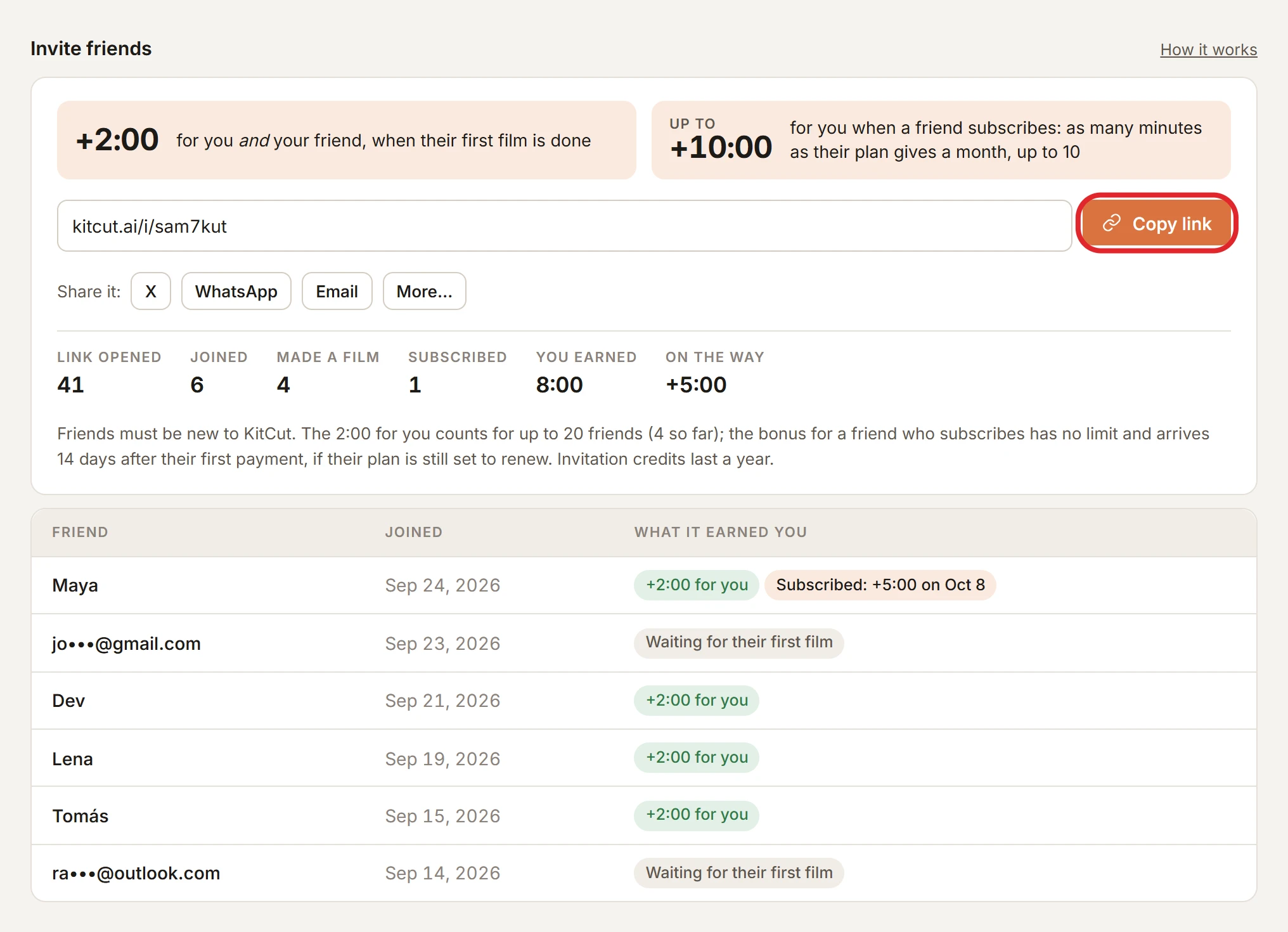
Where it is: in the Invite friends section of your account page, with Copy link and buttons to share it on X, WhatsApp or by email (and the phone's own share sheet, on a phone). The account menu and the Studio's sidebar both link to it.
Sharing a film shares your invitation: the Share button under a finished film copies the film's link with your invitation in it, and films you publish to YouTube carry your link in their description.
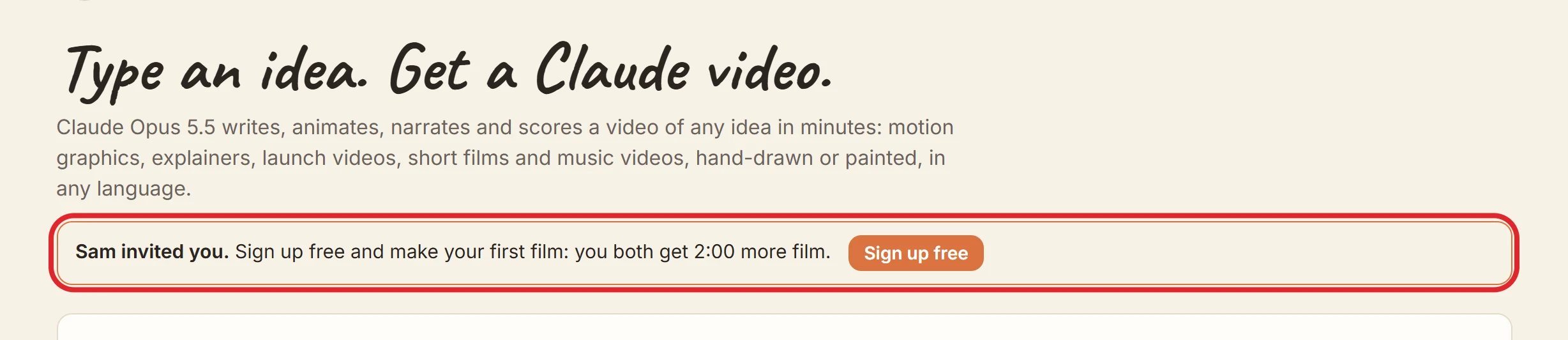
What a friend sees: the link looks like
kitcut.ai/i/abc2def. It opens KitCut with a note that you invited them, showing your first name if you signed up with Google, or "A friend". Your email address is never shown.
- How long it counts: a friend must sign up within 30 days of opening your link. If they open several people's links, the last one counts.
When the credits arrive
- The 2:00 for each of you arrive the moment the friend's first film is finished, or when they first pay, if that comes first. A film that fails or is stopped does not count. You both get an email.
- The bonus for a friend who subscribes arrives 14 days after their first payment, if their plan is still set to renew then. If they cancel before that, there is no bonus. It lands the first time you or your friend opens KitCut after that day, and you get an email.
- Where you see it: the Invite friends section lists each friend and what they earned you:
- "Waiting for their first film";
- "+2:00 for you";
- "Subscribed: +m:ss on" a date;
- "Plan cancelled: no bonus".
- How long they last: invitation credits appear under Credits received as "Invitation bonus" and last 365 days. The first-month boost lasts that paid month, like plan credits.
- Order: credits are spent soonest-expiring first, so your monthly credits are used before invitation credits.
Rules
- New accounts only: someone who already has a KitCut account cannot join through a link.
- No self-invites: another address of yours (including Gmail's dots and
+aliases) earns nothing, and neither does a disposable email address. - A check by hand: a friend who signs up from the same network or browser as you is checked before either of you is paid; it usually takes a day or two.
- The 20-friend limit is only on your 2:00. Friends past it still get theirs, and the bonus for friends who subscribe has no limit.
- Refunds: if a payment is refunded or disputed, what it earned (for either of you) is taken back.
- Not money: invitation credits have no cash value and cannot be transferred or exchanged. KitCut may change or end invitations; credits already received are kept until they expire. See the terms.
- Only on kitcut.ai: AI assistants connected to KitCut do not offer invitations.