
Publishing to YouTube
A finished film can be published straight to the person's own YouTube channel from its page, with a title, a description and a privacy setting. Publishing uses no credits.
Access is limited for now.
- Publishing is being opened in stages. Until an account has it, the pricing page shows "Coming soon" and the film page has no Publish button.
- Until Google finishes verifying KitCut:
- at most 100 accounts can connect a channel;
- Google shows a warning that the app is not verified yet;
- YouTube keeps uploaded videos private until its API audit passes. The page then says YouTube is keeping the video private for now, and the video shows as Private.
Connecting a channel
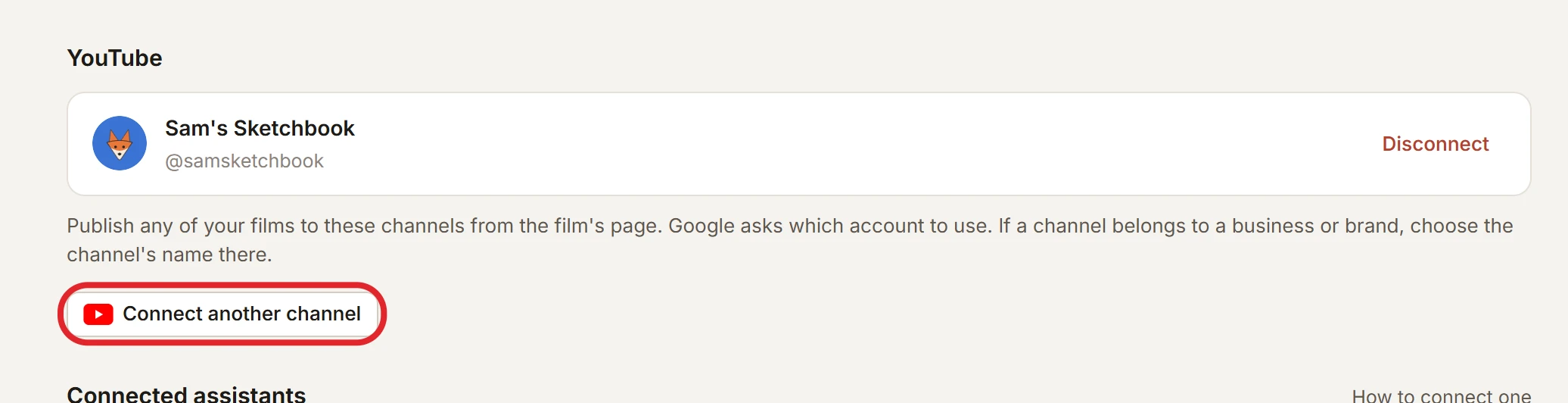
- On the account page, under YouTube, choose Connect YouTube and pick the channel in Google's window.
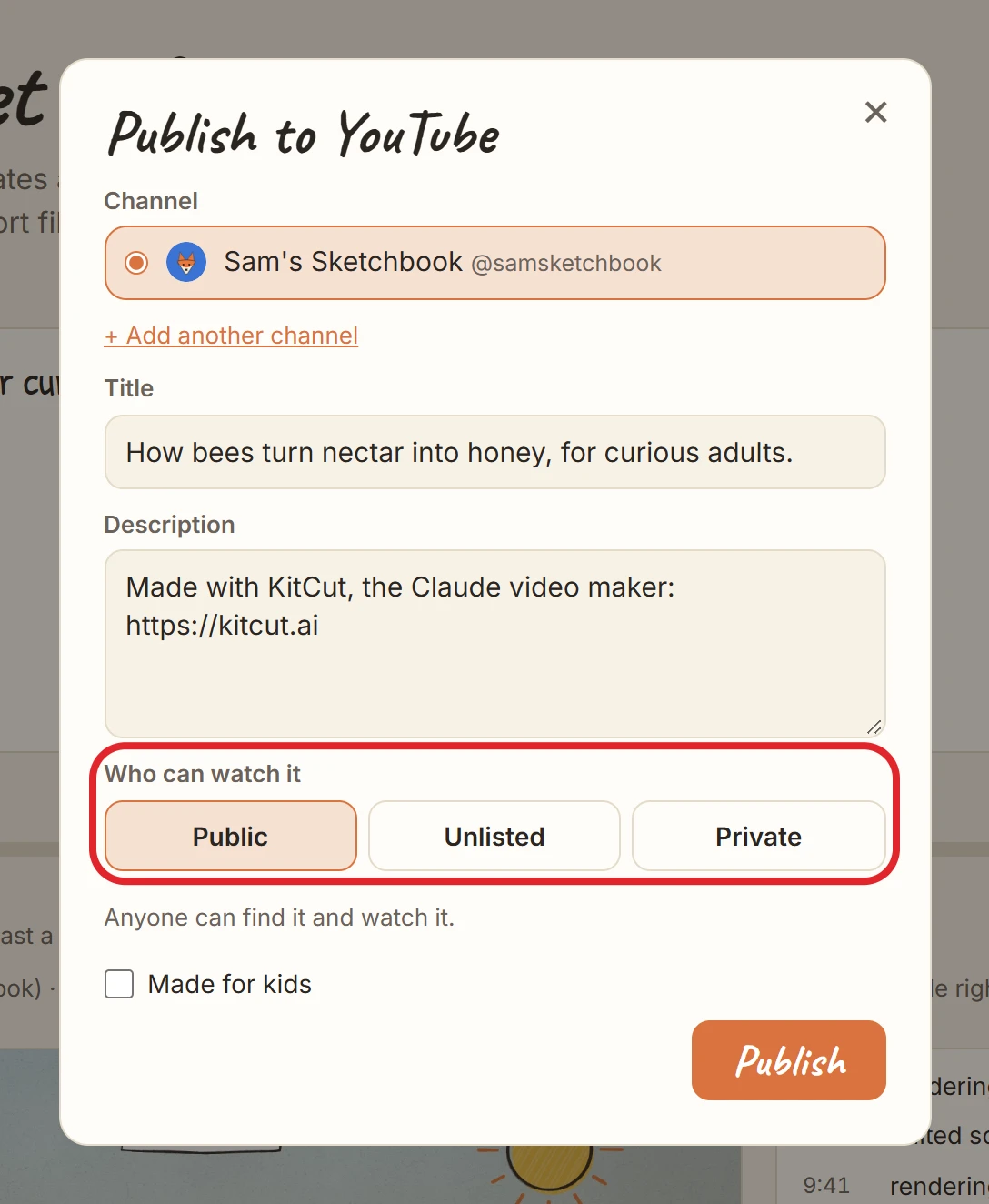
- Each connection is one channel. Add more with Connect another channel, or with + Add another channel in the publish dialog.
- KitCut asks Google for two permissions: uploading videos, and reading the channel's name and picture.
- Disconnecting removes the channel from KitCut and withdraws its permission at Google.
- A connection that stops working shows "Connect again".
Publishing a film
Only the person who made the film can publish it, and only once it is finished.
| Field | Rules |
|---|---|
| Channel | any connected channel |
| Title | required, up to 100 characters. The idea is suggested. |
| Description | up to 5,000 bytes. Suggested: the idea (when short) and "Made with KitCut, the Claude video maker: https://kitcut.ai". |
| Privacy | public, unlisted or private. The page remembers the last choice. |
| Made for kids | a checkbox, as YouTube requires |
- A progress bar runs while the video is sent. It then shows "Watch on YouTube" once YouTube has it.
- Publishing the same film to the same channel twice warns first that it would make a second copy.
- Limit: 20 publishes per account per day.
Not possible
- Scheduling a publish, choosing a thumbnail, adding to a playlist, or publishing as a Short (films are 16:9).
- Changing or deleting the video on YouTube from KitCut. Use YouTube Studio.
- Publishing from an AI assistant. Publishing is on the film's page only.